
When a lead signs a Confidentiality Agreement (CA), the platform records the signature details, appends a confirmation page to the executed document, and stores the file with full historical traceability.
Important: The confirmation page will only be accessible for CAs executed on or after December 4, 2025.
Overview
After a CA is signed:
-
A confirmation page is added to the executed document.
-
The finalized file is stored permanently with audit-ready details.
-
Version history is preserved with timestamps when templates are updated.
-
Admins can download the executed CA at any time.
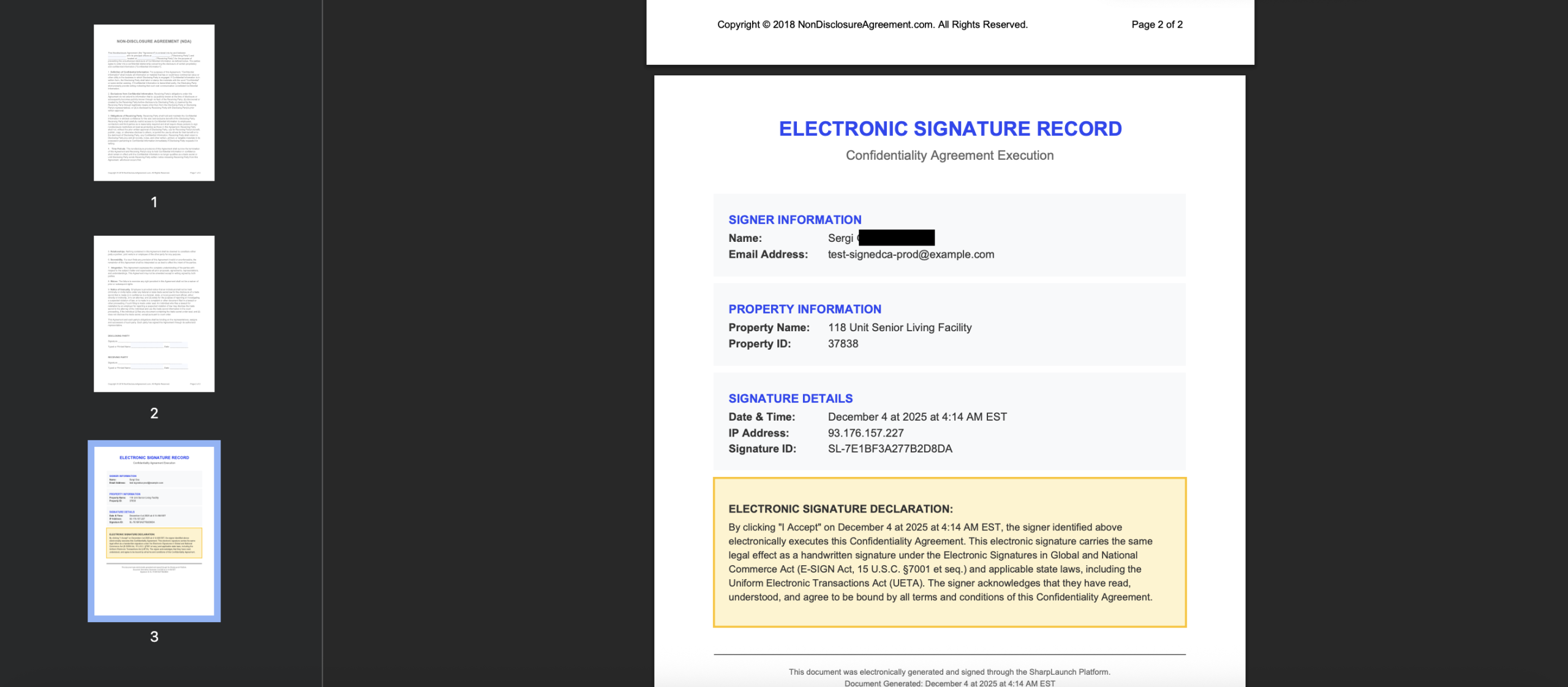
Appended Confirmation Page
Each executed CA includes an additional page containing:
-
Full name of the signer
-
Email address
-
Date and time of signature
-
Digital signature confirmation details
-
IP address
-
Property name
-
Property ID
This page is included in the final PDF and remains with the document for reference and audit purposes.
Example:
Storage and Access
All executed CAs are stored permanently and always include the confirmation page.
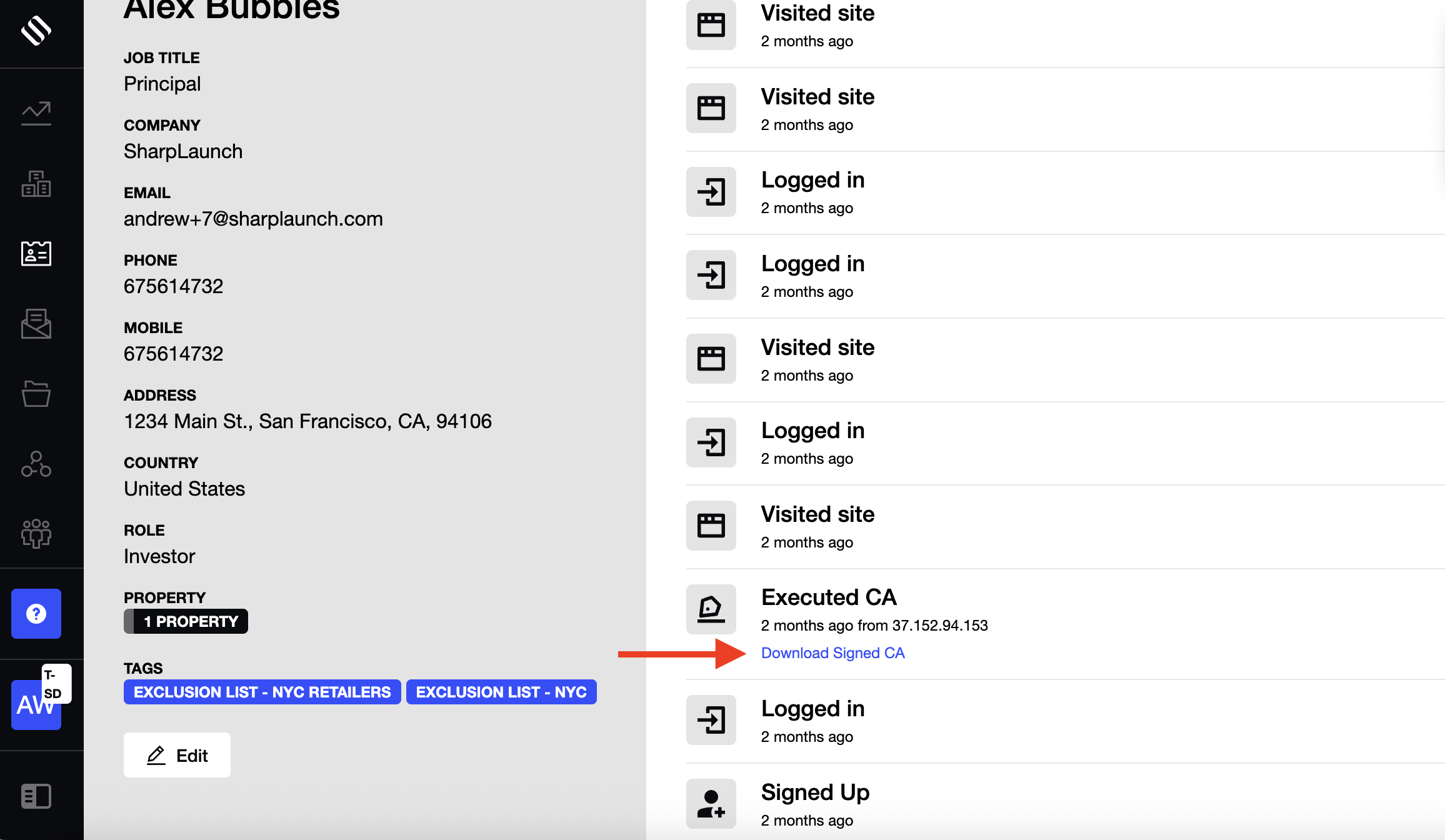
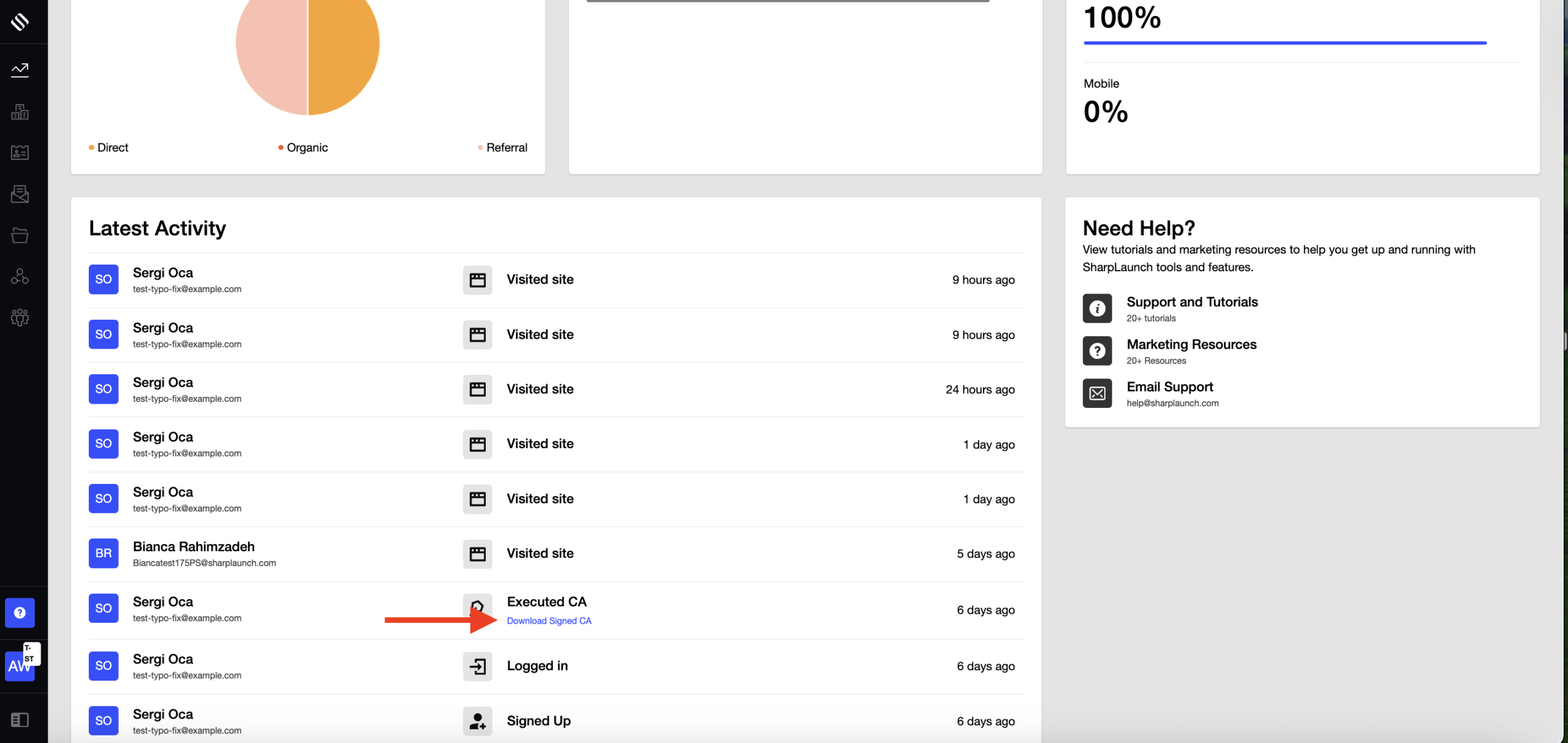
Admins can download the executed CA from:
-
Lead Activity Page → Executed CA
-
Property Dashboard → Latest Activity
Stored documents remain unaltered to maintain record integrity.
Version History
When a CA template is updated or replaced:
-
A new version of the CA is stored with its own timestamp.
-
Older versions remain accessible on the platform.
This allows precise identification of which version a lead signed at a given time.
Why This Matters
This process provides:
-
Verification of who signed the CA and when
-
Immutable, timestamped storage
-
Full traceability of historical versions
-
Immediate document access for audits, legal requests, or internal reviews
Summary
-
Executed CAs include an appended confirmation page with signer and property details
-
Stored documents remain unchanged for audit reliability
-
Admins can download executed CAs at any time
-
Version history is tracked with timestamps to ensure traceability