
When you add a new property page, the title tag and meta description are automatically created with placeholder text to make sure critical SEO tags are already optimized. You can review, overwrite, or completely replace both placeholder fields at any time from the Settings tab in the CMS section. We recommend checking them early on to make sure they are clear, descriptive, and aligned with your SEO goals. Remember to save your changes after you have reviewed the placeholder text.
Page Title: The title should describe what the page is about and use all relevant keywords at least once within 70 characters.
Meta Description: The META description is what users will see when they find a page from your website in Google search engine results. It should be clear, easy to read, and long enough that they’re sufficiently descriptive, ideally between 100 and 300 characters.
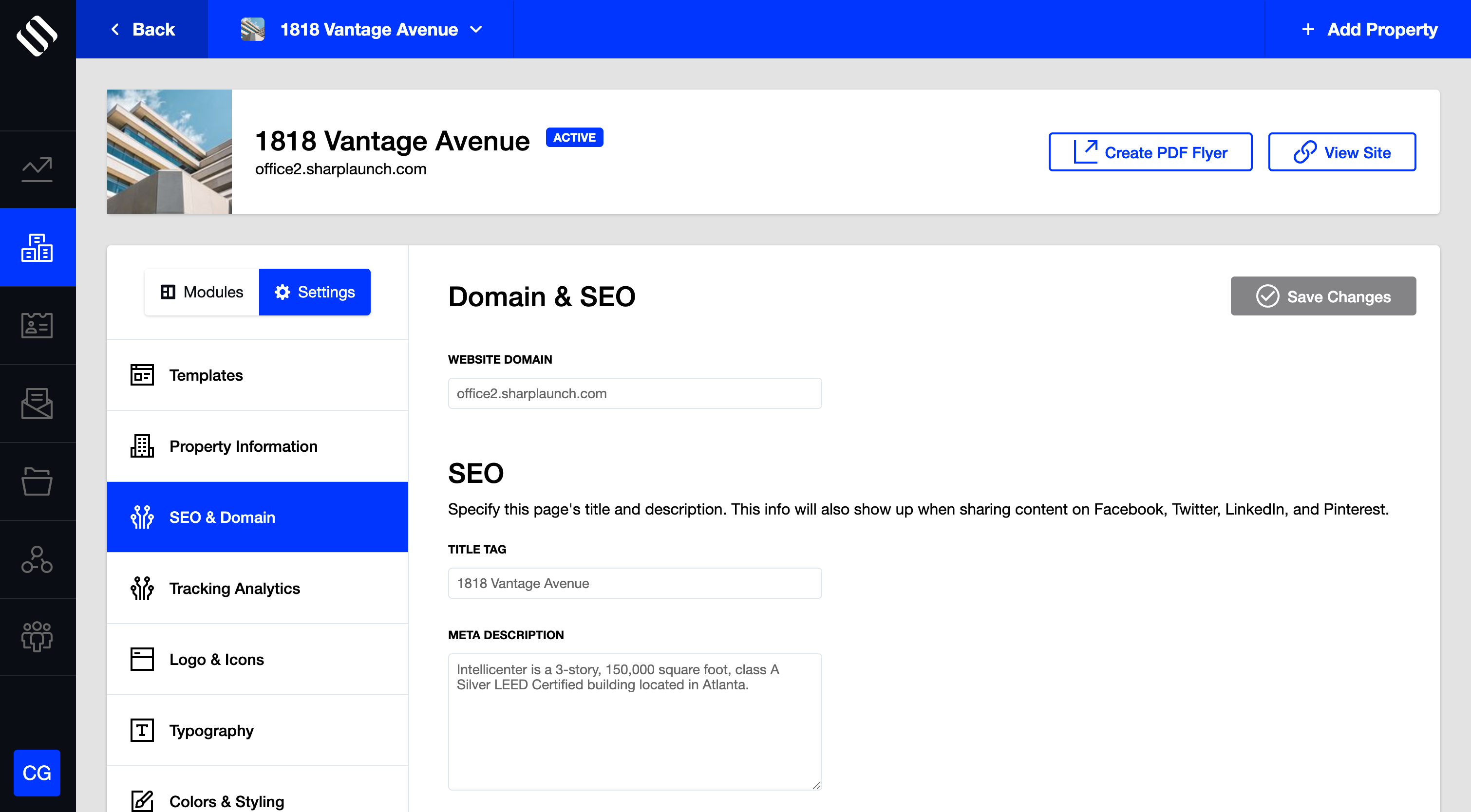
Follow these steps to update the page title and meta description:
- Go to the CMS Section for your property site
- Navigate to the “Settings” tab, and in the “SEO & Domain” section, add a short but detailed paragraph about the property and a detailed name for the Meta Description Title.
- Save changes
Note: Need help with writing a description? See our blog post on How to Write Great Property Descriptions